Does OpenClaw Deliver?
There’s been a huge amount of hype recently about OpenClaw. I tried it twice to see if it delivers and here’s what I learned. You may have heard it called OpenClaw/Moltbot/The artist formerly known as ClawdBot. It’s the AI bot that’s been taking the tech world by storm, tech bros have been buying mac minis in their droves to install OpenClaw and use it to automate all sorts of aspects of their lives, from buying groceries to sending messages to their girlfriends. Which I find in equal parts dystopian and intriguing.

The concept is fairly simple you use a messaging service such as WhatsApp, Signal or Telegram to talk to your OpenClaw instance, this can either run on hardware you own such as your laptop or a Mac Mini, or a cloud server. OpenClaw is then powered by an LLM, it started with just support for Anthropic’s Claude, but now supports many different models such as Google Gemini and OpenAI’s GPT models.
Where things get interesting is OpenClaw has memory and learns about you over time, it then proactively starts to do tasks for you, which some people report is eerily human.

For some time I’ve wanted an AI based TaskAI manager, I started vibe coding one last year, I still have the domain TaskAI.it gathering dust, at the time I found LLMs weren’t quite ready to automate many of the tasks I wanted. With projects like OpenClaw it feels like AI may be ready to deliver on this promise.
OpenClaw has the ability to install and learn skills and so can apparently do things such as your shopping for you, which sounds fascinating as well as terrifying. Where a lot of the negative hype came in was from a security perspective, people had been installing OpenClaw on their laptops where it had potentially full access to almost everything they could do.
I decided to give it a spin to see what it could do. I’ve opted to install it on a Cloud Server as this felt the safest. Virtualisation with UTM could also have been a good approach.
First Attempt
I used the official one click security hardened OpenClaw installation made by Digital Ocean this can be installed on a standard server, which costs ~$28 per month. The image runs on Ubuntu and you connect to by SSH.
I went through the initial set-up which was fairly painless apart from a bit of security faff to access the OpenClaw webUI.
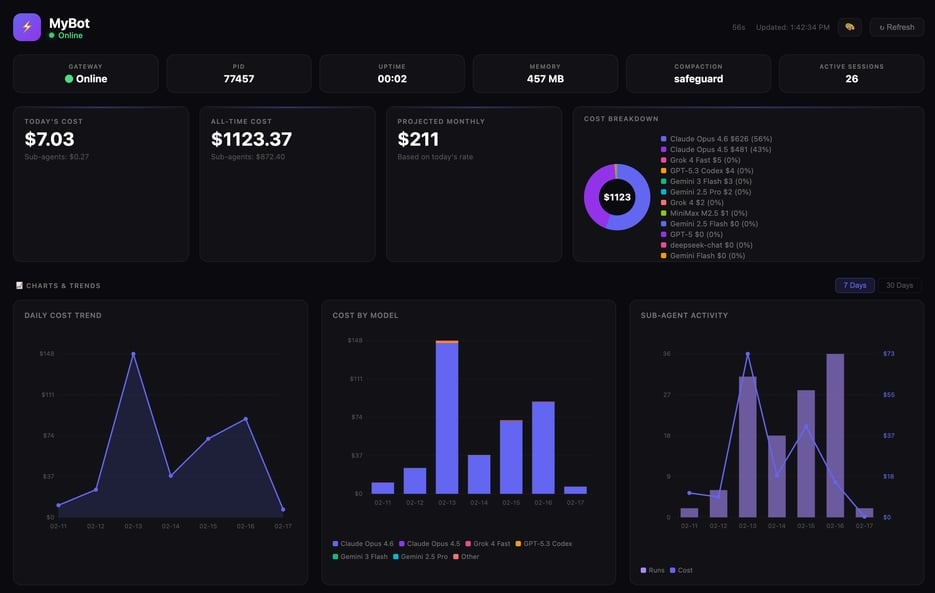
I configured it to use the Anthropic API, by default it was using the Opus model which is expensive, I wanted to use Sonnet so it would cost me less. I tried to change the model and it was very fiddly and required me editing config files in Vim, restarting the Openclaw service, and generally monkeying about in the terminal. OpenClaw itself wasn’t very useful at giving information as in the security hardened installation it’s locked down so out-of-the-box it can’t access the internet. Trying to grant OpenClaw internet access was equally fiddly. I lost track of the amount of times I ran openclaw gateway restart.
OpenClaw does support fallback models but it doesn’t support switching them easily, I was surprised at this as was expecting it to support models suited to different tasks. I was also expecting cost tracking of LLM tokens built-in, although I do believe there’s a skill for this.
At this point I was finding the experience pretty disappointing and frustrating, however I’ve still felt OpenClaw has a lot of potential so went with a different slightly more Yolo method.

Second Attempt
I started with a Ubuntu droplet on Digital Ocean, once you ssh you can install OpenClaw with curl -fsSL https://openclaw.ai/install.sh | bash which steps you through an installation wizard, I decided to call my bot Josh. By default OpenClaw then runs in TUI, which is a Terminal UI for chat. I found it a fun experience chatting with Josh and can see why people have been getting hooked on this.
I then configured OpenClaw/Josh to work with a Telegram bot, which I got working after quite a bit of messing about. I did find that OpenClaw sometimes hung or didn’t reply to messages, it definitely didn’t feel a robust experience.
I managed to grant this OpenClaw installation access to the internet, and then changed its model to Google’s Gemini Flash (which is the free within limits) so it didn’t cost me a fortune.
Like some people, I found OpenClaw isn’t great being asked to do lots of things to do at once, so I instructed it to keep a file of all the projects and tasks I wanted us to work on together.
Can OpenClaw work with GitHub?
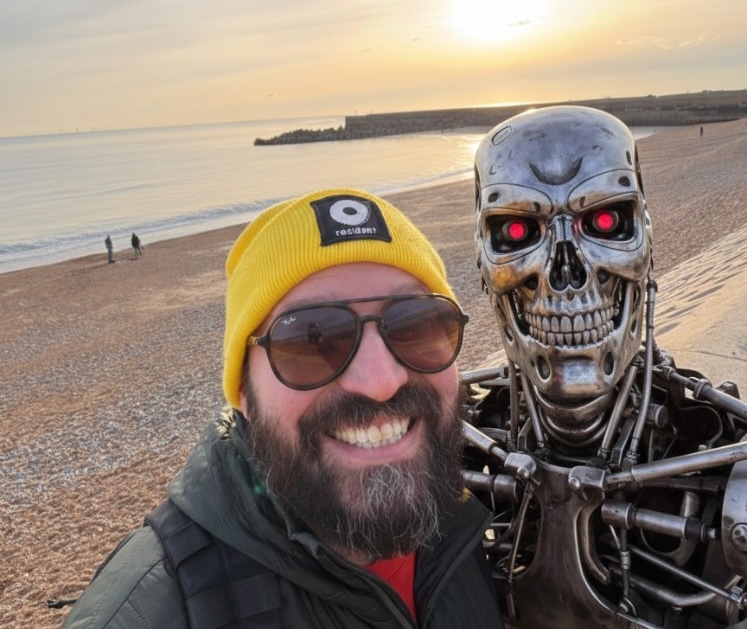
To be truly collaborative I thought it would be good if we could both edit the files using Git and sync them using Github. To test OpenClaw’s limits I tried to get it to sign-up for a Github account, it was unable to do this so I created an account for it myself. I then asked it to create a git repo and create ssh keys which I could associate with its Github account. It failed miserably to do this, maybe it’s because I was using the cheaper Google Flash model, this was pretty disappointing, and not the Skynet style experience I was expecting.
At this point I decided to stop, step back and think about what I wanted to achieve.
What do you want to do today?
Stepping back, I asked myself what I actually wanted. A simple test: have OpenClaw fetch information from my calendar and create events. It turns out Google Gemini can do that directly if you’re using Google Calendar—no OpenClaw required. For collaboration on projects and task assignment, I realised I can likely get most of what I want from Cursor, Cursor Agents (which I’ve been using), GitHub and some custom actions. That’s what I plan to experiment with next.
Verdict: OpenClaw is ambitious and the vision is compelling; a personal AI you own and control. But right now it feels like a proof of concept; setup is fiddly, behaviour isn’t always robust, and getting it working properly means wrestling with config files. Maybe my expectations were off, I wanted something more reliable and polished out of the box. I’ll keep an eye on the project as it moves fast. My theory is we can achieve what OpenClaw promises by hacking battle-hardened existing technologies to leverage AI, resulting in more reliable and safer solutions.
If you'd like to contact me then you can email writing@petegraham.co.uk.