I Built a Terminal App to Check My Email
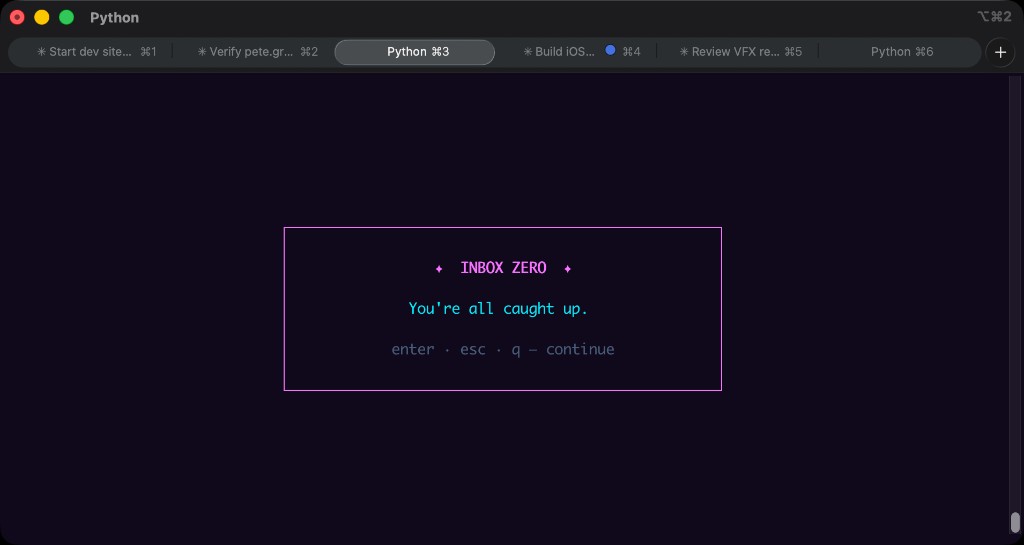
It’s 2026, and a lot of businesses still run on email. I work with multiple companies, which means I need to check multiple email inboxes. The problem for me is the browser. I don’t hate the browser, but the moment I open Gmail, I find myself getting dragged into reading articles, watching videos, and looking at stupid gifs.
I’ve also started composing email drafts in Obsidian as part of my second brain setup. Writing replies there is lovely, but it meant a lot of copying and pasting: out of Gmail into Obsidian to write the reply, then back into Gmail to send. This all works, but it’s actually pretty clunky, especially if you’re doing it dozens of times a day.
So to avoid getting distracted by the fun of the internet and to match my new Obsidian-based workflow, I’ve built inbox-cli.
The solution
inbox-cli is a TUI, a terminal user interface, similar to tools such as Claude Code. I’ve open sourced it, and the code is available on GitHub.
When you run inbox, all your unread mail across accounts shows up in one list, and you move through it with the arrow keys. Enter starts a reply, which opens as a markdown file in Obsidian. When you’re happy with the draft, one keystroke sends it.
You can also mark emails as read and open them in the browser to read, as I didn’t want to recreate an HTML rendering engine in the terminal. That felt a bit silly.
How I built it
The key for me was that the solution had to be fast, distraction-free, and simple to use.
I started with gog, a command-line tool for interacting with Google products, which inbox-cli still uses under the hood. gog is great, but remembering the commands was a challenge, and its default output didn’t fit the low-friction user experience I was looking for.
I then prototyped it with a Cursor skill (which also works with Claude Code). This let me test whether I was happy with the workflow, and it also forced some technical decisions early.
I ended up creating several small skills that talked to each other. This made it easier to develop, as I could swap out one piece of the workflow at a time.
The skills fetched from each inbox in turn rather than in parallel, which made it feel slow, and on top of that I was waiting for the LLM to respond on every action. It was never going to be the responsive, low-friction user experience I wanted, but that was never the point. As a way to prototype and pin down a workflow before committing to building the real thing, it was a really useful approach. The skills ended up being an excellent initial specification for the software.
A few things struck me along the way. Previously I wouldn’t have bothered building a tool for this, the effort wouldn’t have been worth it, but with AI development tools it’s much simpler to justify. I also wouldn’t have considered checking my email from the command line at all, but after spending time using TUIs like Claude Code, I’ve come round to the idea that the terminal can be a genuinely fun and distraction-free way to use a computer. Being a command-line tool makes the Obsidian integration feel natural rather than bolted on, much like the way Unix tools can be combined to interact with each other.
All of the code was written by AI. There was still considerable work getting it from a proof of concept to something I now use as the primary way I check my email: testing different technical approaches, then using the product and iterating on the user experience.
How it works
Under the hood, inbox-cli leans on gog to talk to Gmail, with OAuth set up per mailbox. gog installs via Homebrew on macOS, and getting it authenticated for each account is the most fiddly part of the setup. Once that’s done, inbox-cli handles the rest: it lists unread mail, opens replies as markdown in your vault, and sends them. It even re-fetches in the background, so the list stays current.
Will anyone else use it?
I’d be delighted if other people find this useful and want to use it. But I’d also be genuinely happy if I’m the only user, as it works very well for me and I use it daily.
There’s a larger idea here that I keep coming back to. There’s been a predicted SaaS-apocalypse where people stop buying SaaS products and vibe code their own solutions. I’m not currently convinced this will happen. The defensibility of most successful SaaS companies runs much deeper than their user interfaces and code.
However, I do believe AI-based development tools mean we can have more personal software, tools that reflect how we actually want to work rather than how someone else decided we should.
The potential for deep customisation at the UX and workflow level is highly exciting.
A note on the cost of building
People like to claim the cost of writing code is trending towards zero. I don’t agree. To start with, the tokens aren’t free, but the broader point is fair: AI can usually write more than acceptable code, so the effort of producing it is much lower. That’s a good thing, it lowers the barrier to building things.
Where I think people go wrong is assuming the cost of building a product is also heading to zero. You can have AI build you a clone of something well known, and it might roughly resemble the original. It may even technically work, especially if you’ve used good practices like automated testing. But building something that’s genuinely delightful to use, that is stable and responsive, takes effort and multiple iterations.
This is the craft, incrementally tweaking the behaviour until the experience feels right. This part still takes considerable effort, and I don’t see that going away any time soon. Even getting something as simple as inbox-cli from prototype to something I’m happy to use every day was a good reminder of that.
If you'd like to contact me then you can email writing@petegraham.co.uk.